You Code With AI. We Make Sure It Works
Don't memorize W3C specs, security checklists, or SEO rules. WebValid scans your site and feeds your AI editor the exact issues to fix
Stop guessing. Start fixing
AI generated the feature, but you have no idea if the HTML is even valid
Your bundler quietly ships an API key to production — you find out from a Slack alert
You don't know W3C specs, WCAG rules, or security headers — and you shouldn't have to
AI suggests a fix, but breaks 3 other things — and there's no way to know without a full audit
How you can check yourself right now
Audit your site in seconds
No signup. No config. Just paste a URL
Give your AI editor exact context
Copy the structured Markdown prompt into Cursor or Copilot. AI gets file, line number, error type, and severity — fixes issues in seconds, not rounds of guessing
"What's wrong with my site?" → AI guesses for 5 rounds
Paste Markdown → AI fixes with full context immediately

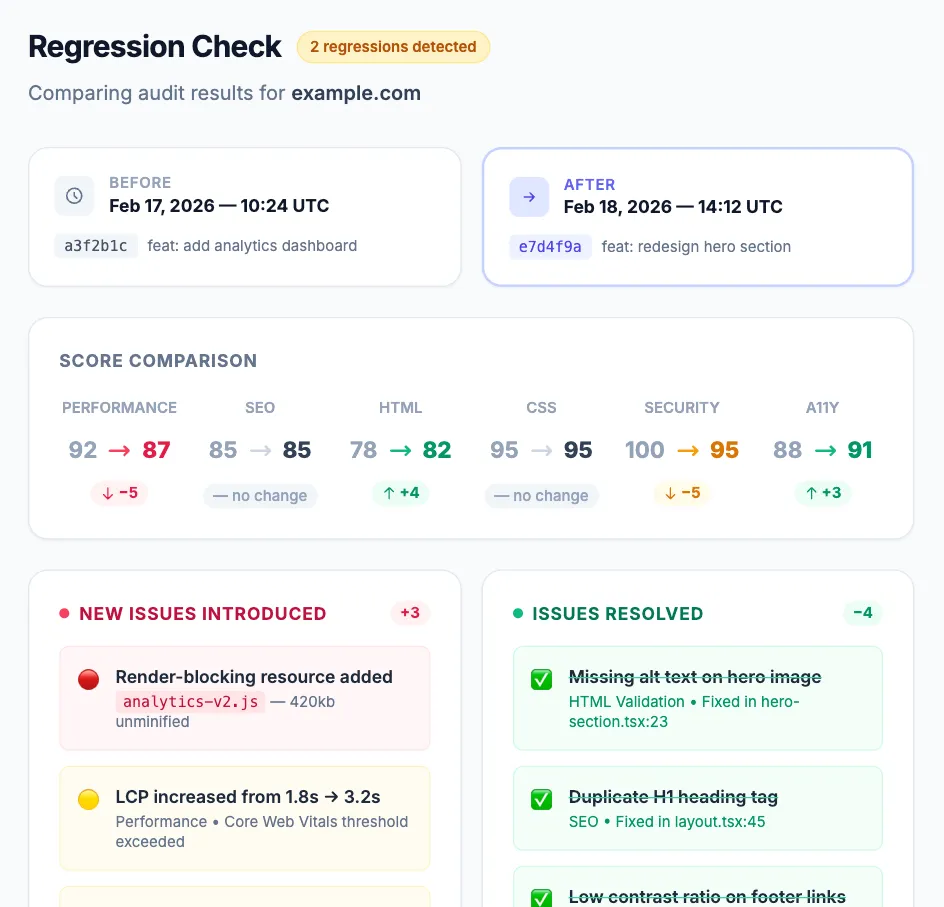
Track what changed between deploys
Run audits before and after any change. See exactly which scores improved, which degraded, and what new issues appeared — with a full side-by-side delta breakdown
Something broke after the last deploy, nobody knows what
Side-by-side comparison shows every introduced and resolved issue
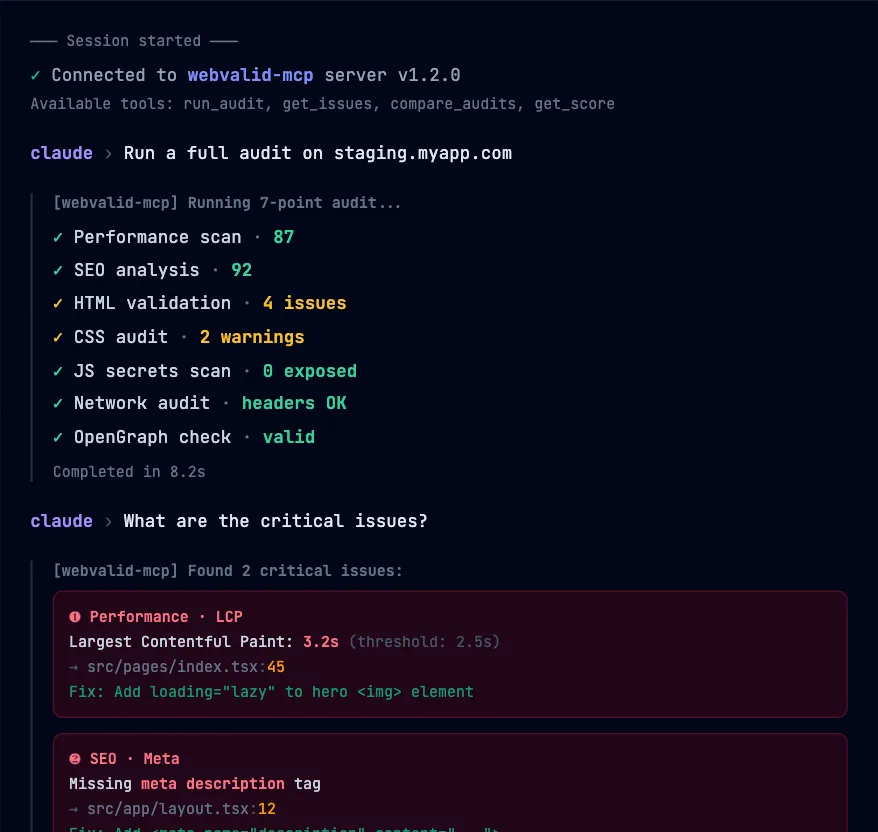
WebValid talks directly to your AI
No copy-paste. No browser tabs. Your AI agent runs audits, reads issues, and applies fixes — all from inside your editor
- 🔌 Direct integration with Cursor, Claude, and Copilot
- ⚡ Full audit without leaving the terminal
- 🤖 AI reads structured results and applies fixes automatically
- 📊 Compare audits across deploys from the command line
Everything for AI-powered development — in one tab
| What you check | Tool you need today | WebValid |
|---|---|---|
| Performance & Core Web Vitals | Lighthouse | ✅ Included |
| HTML Validation | W3C Validator | ✅ Included |
| CSS Quality & Linting | Stylelint / Sonar | ✅ Included |
| JS Secrets & API Key Leaks | ❌ No free tool exists | ✅ Included |
| OpenGraph / Social Preview | opengraph.xyz | ✅ Included |
| Network & SSL Headers | securityheaders.com | ✅ Included |
| SEO Audit | Screaming Frog (free limit) | ✅ Included |
| All checks in one run | ❌ Not possible | ✅ Included |
| Markdown prompt for AI editors | ❌ Not possible | ✅ Included |
Lighthouse is the foundation. We build on top
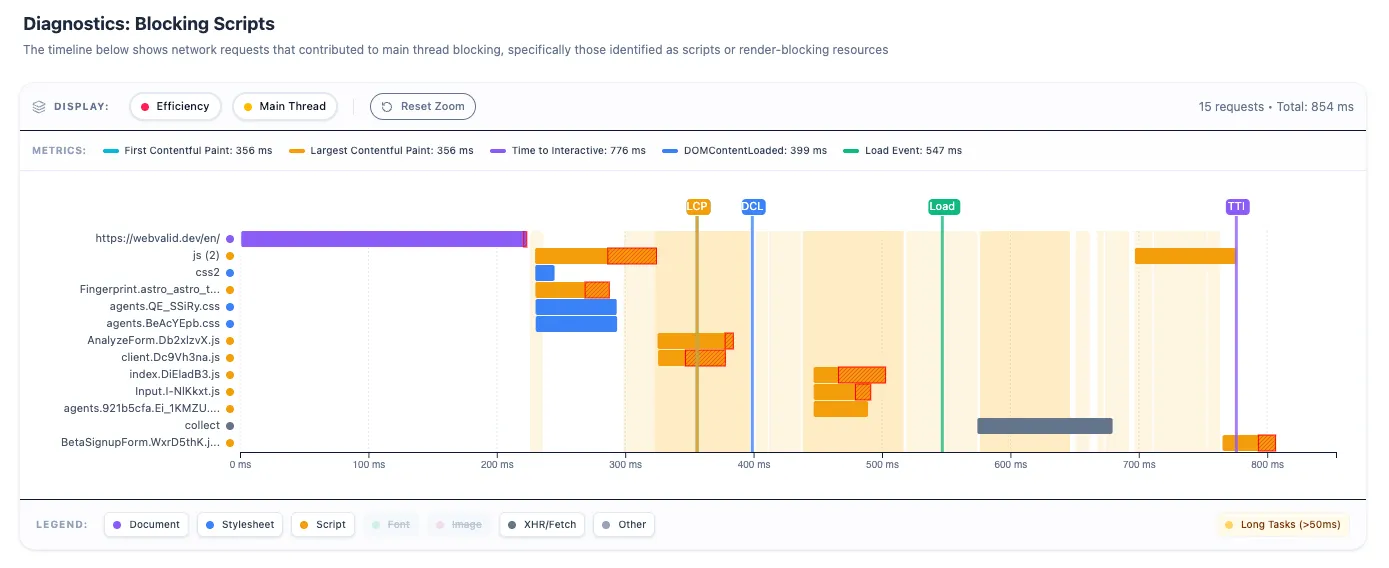
We use Google Lighthouse as the performance baseline — just like every serious tool does. But Lighthouse doesn't check HTML validity, CSS quality, exposed secrets, or social previews. WebValid adds the layers it was never designed to cover
Request Access to Monitoring & Reports
Get weekly automated scans, professional PDF reports, and instant alerts to ensure your website quality never drops
- 📊 Audit history with trends
- 🔔 Email alerts on quality drops
- 📄 PDF reports for clients
- 🚀 Early access to new features
Developer FAQ
How is your audit different from standard Google Lighthouse?
Lighthouse is a great foundation, but it often overwhelms developers with hundreds of metrics and dry statistics. We don't just collect data—we analyze and prioritize the issues found. You get a clear action plan: what to fix right now, and what can wait. Plus, we run additional checks (strict W3C HTML/CSS validation, OpenGraph previews, and JS secret leak scanning) not included in standard Lighthouse
Why use this service when browsers have DevTools?
DevTools are indispensable for targeted debugging, but a comprehensive audit requires manually checking dozens of parameters across different tabs. Our service automates this process: in a single click, your site is checked across all key areas—from SEO and security to technical standards. This eliminates routine tasks and ensures you haven't missed anything before release
What exactly does WebValid send to AI (Cursor/Copilot)?
When exporting results, you get a ready-to-use Markdown prompt: exact file path, line number, issue type, and severity level. This prevents AI hallucinations — your editor gets precise technical context and immediately suggests a working fix.
Is the website analyzed using Artificial Intelligence?
No. While we may use AI as a supplement (e.g., to simplify issue descriptions), all of our actual checks are strict, deterministic algorithms. This eliminates false positives, prevents hallucinations, and guarantees reliable, predictable results on every scan.
Will the core scanning algorithms be released as Open Source?
No. Our deterministic rules and testing algorithms are the product of deep expertise and years of accumulated web experience. This analysis logic is our core intellectual property, which is why WebValid is offered as a managed cloud service, protecting our product.